Run Easy Video Maker.
Press Cltr+1 to import video files from your PC.
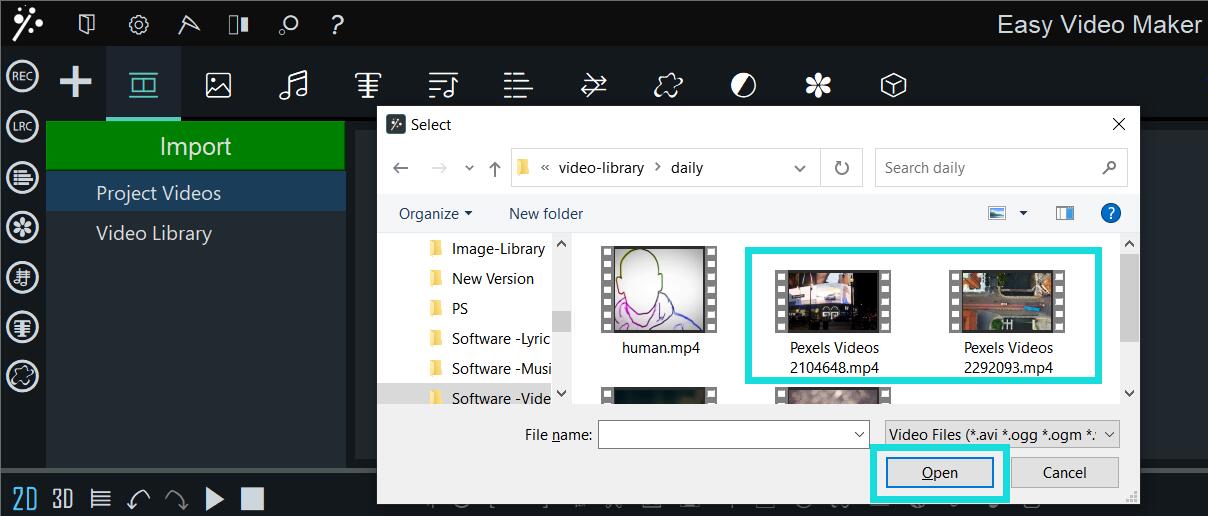
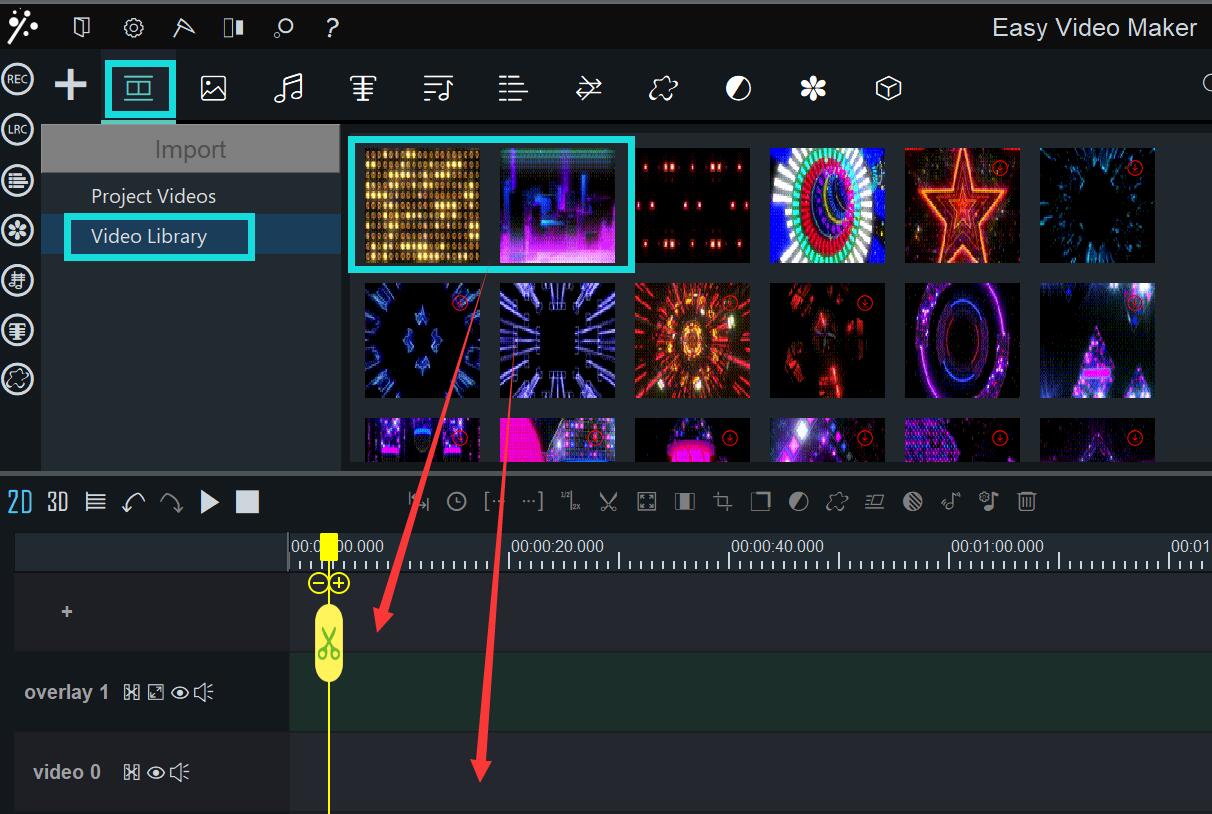
Or you can choose videos from Video Library by double-clicking to download one, and then drag it to the video line or the “+” line.
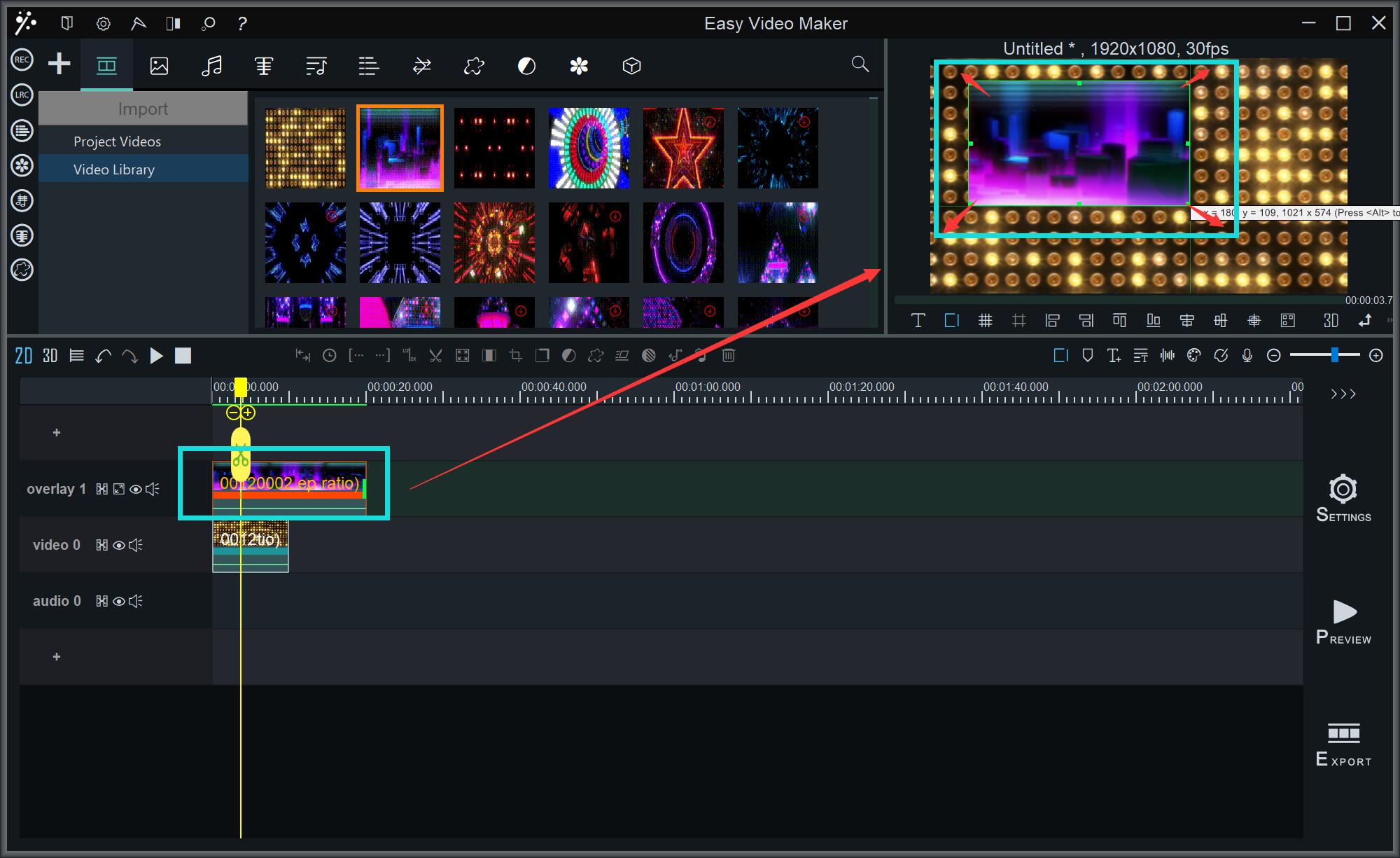
Select the video on the Overlay line and drag its top corners to adjust the size, move it casually to change its location on the screen.
![How to make a good travel video? [video making tips series] how to make a good travel video](https://www.easymakevideo.com/knowledge/wp-content/uploads/2023/06/how-to-make-a-good-travel-video.png)
![How to make a good tutorial video? [video making tips series] how-to-make-a-good-tutorial-video](https://www.easymakevideo.com/knowledge/wp-content/uploads/2023/06/how-to-make-a-good-tutorial-video.png)
![How to make a good resume video? [video making tips series] how-to-make-a-good-resume-video](https://www.easymakevideo.com/knowledge/wp-content/uploads/2023/06/how-to-make-a-good-resume-video.png)